
Reward big tippers with a gold drink pass
The gold drink pass rewards generous tippers. When a guest's tips at your event reach the amount you set, their next drink pass turns gold, so bar staff can spot them and serve them first.
Open Passports on the event console, turn on Gold drink pass (it starts off, and Tips to reach Gold only appears once it is on), type the amount under Tips to reach Gold, and press Save. The amount is in dollars of tips added up across the night, not a percentage, so a tiny tip on a cheap drink cannot reach it.
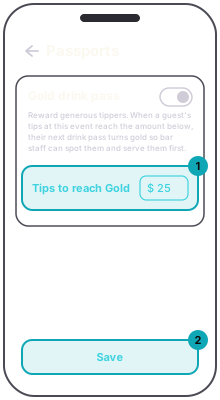
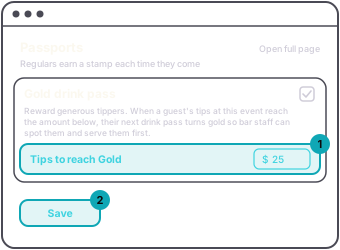
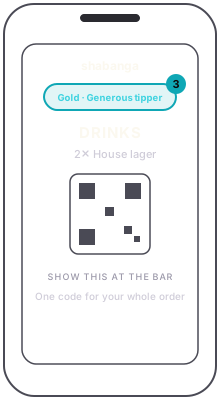
At the bar, a gold order scanned in Counter mode shows Gold · Generous tipper on the scanner's card.
Set it before doors. Once doors open (or the start time, if the event has no doors time) the rules are locked, and the screen says so.
Why it locks: guests tip toward the amount you set. Moving it mid-night would change the deal for people who already paid toward it.